


← All plugins

WordPress plugin · Free

Search Analytics for WP

Search Analytics for WP records what visitors search for on your WordPress site and how many results each search found. You see which terms are popular and which come up empty, and everything stays in your own database.

3,000+ active installs5/5 from 30 reviews
Requires WordPress 4.7+ · PHP 5.6+
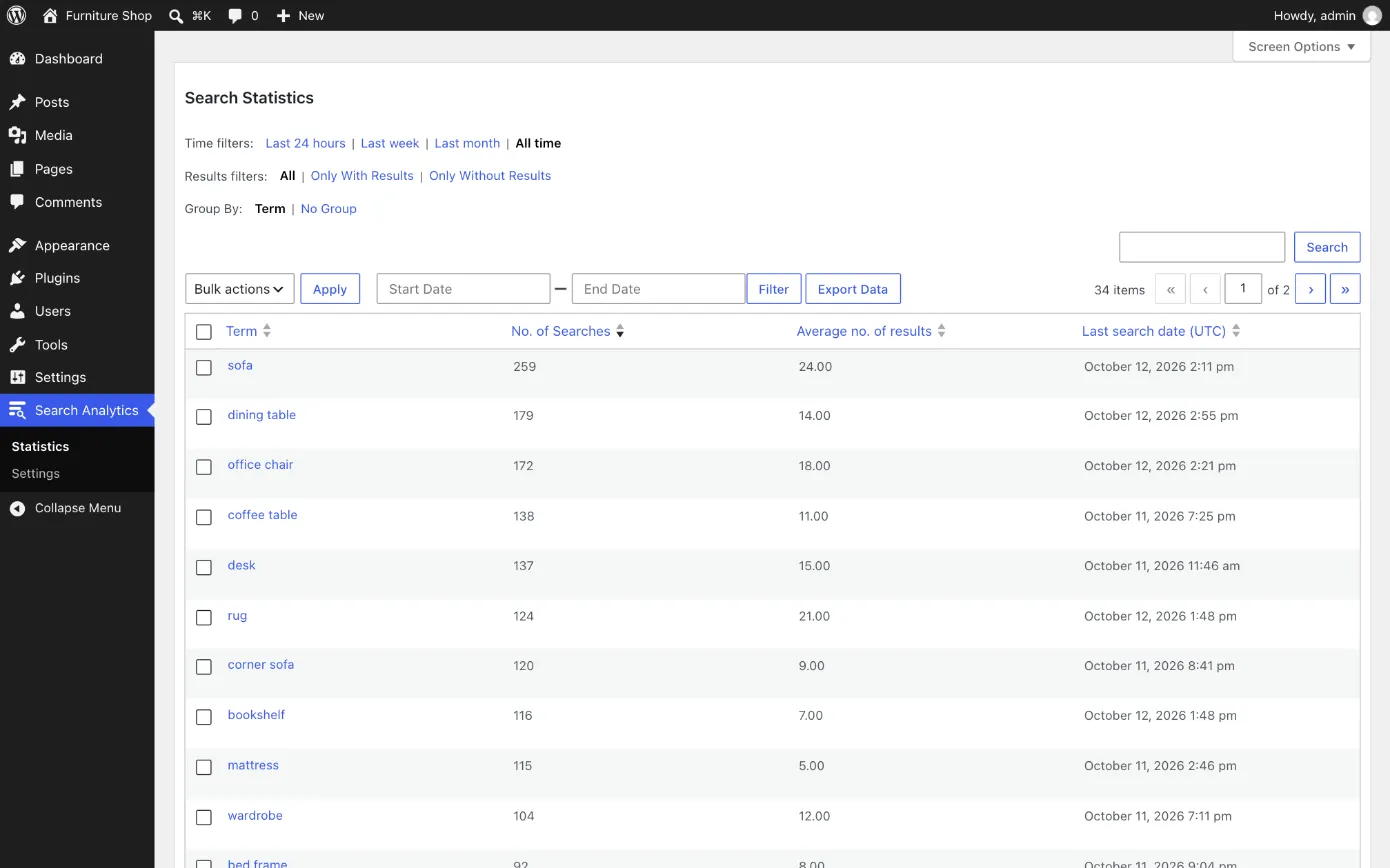
Search statistics with time, results and grouping filters

What it does

Every search recorded

Theme search boxes, the WooCommerce product search and wpForo. An AJAX live search can be recorded too, with one line of code.

Searches with no results

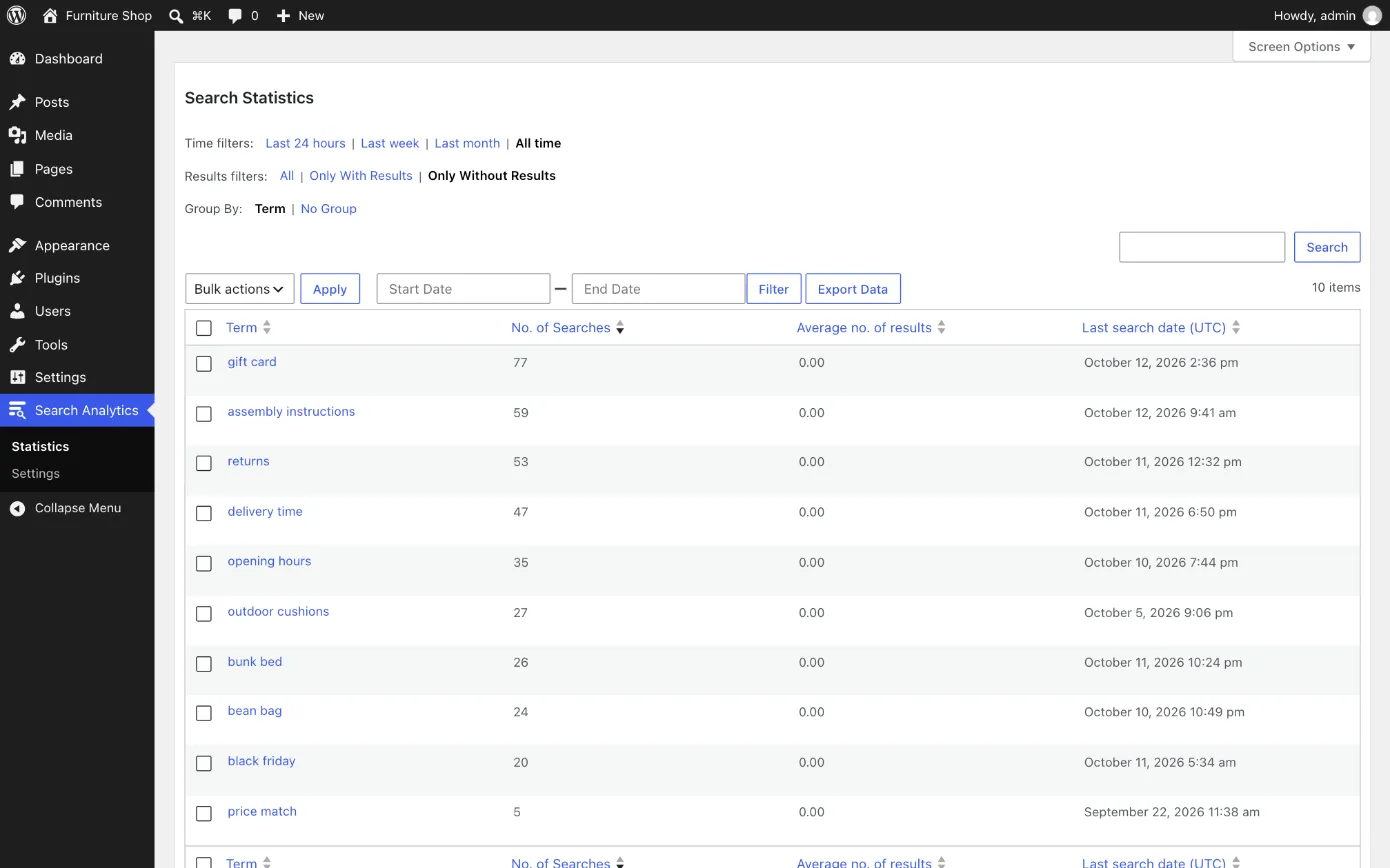
One filter shows only the searches that found nothing. Sort by number of searches to put the most common dead ends first.

Every term in one table

Number of searches, average results and the last search date, with time filters from the last 24 hours to all time.

Charts and trends

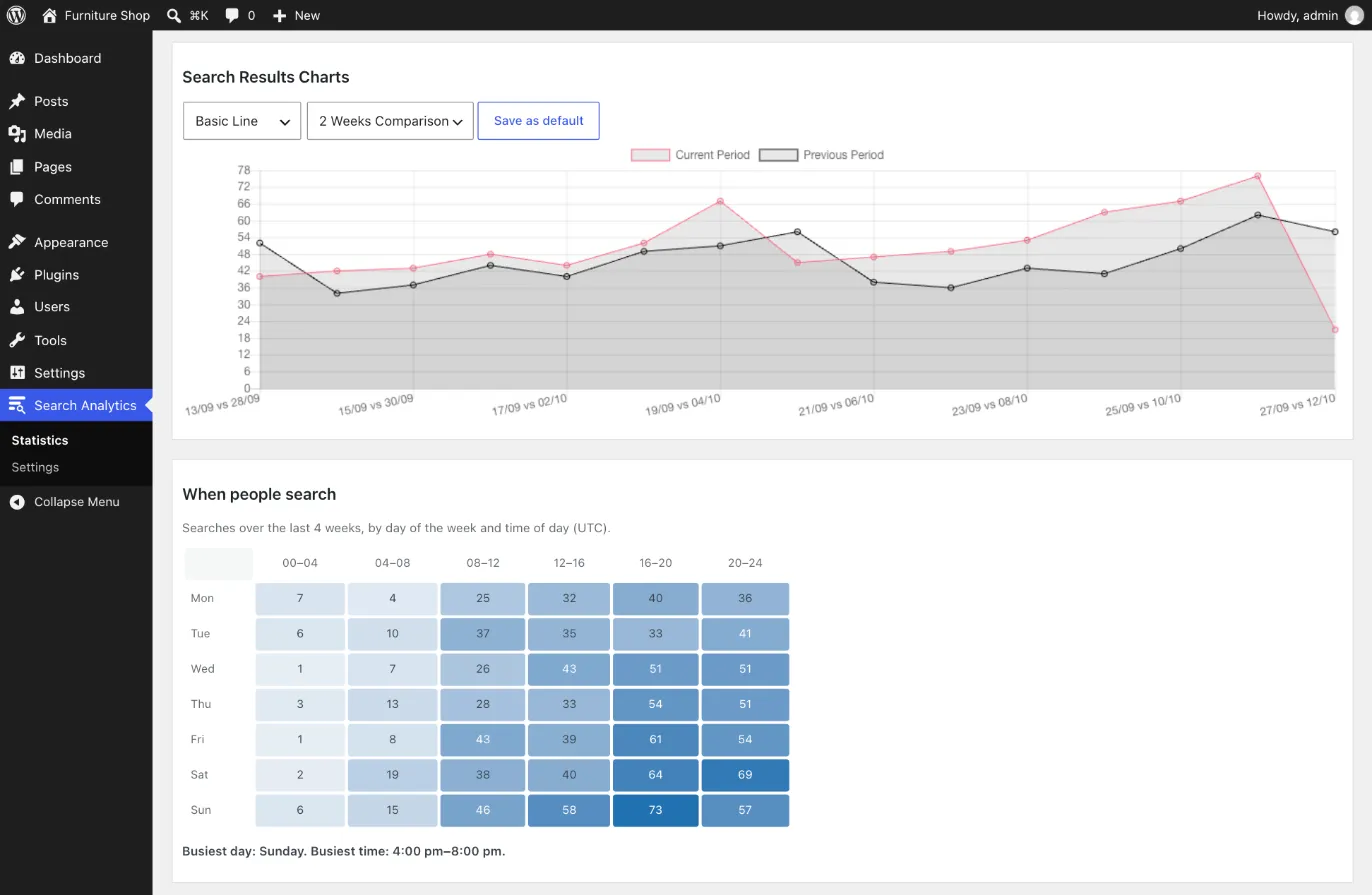
A daily chart compared with the previous period, and the days and hours when people search most.

Clean numbers

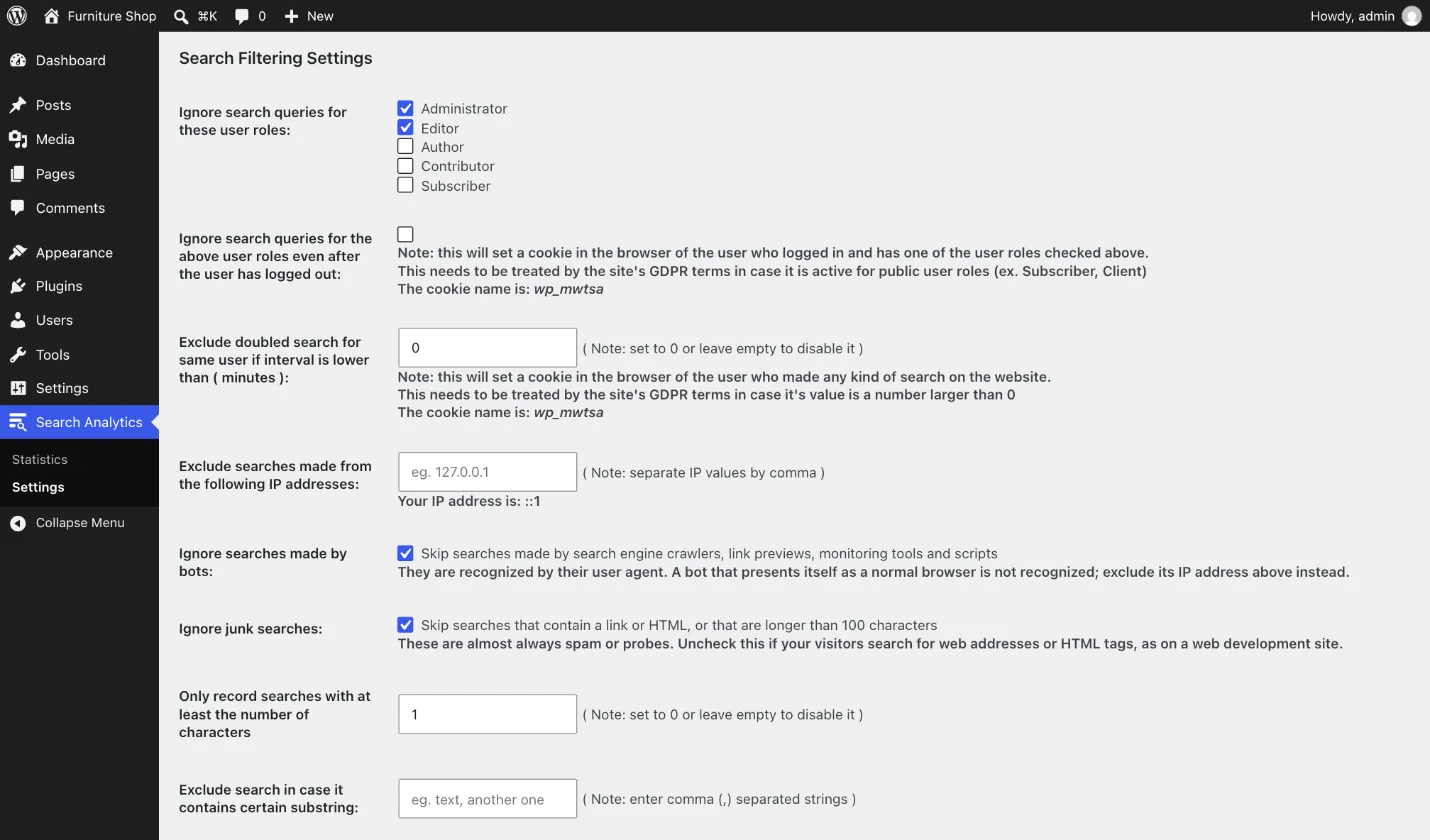
Bots, junk searches and your own test searches are left out. You can also skip listed IP addresses, very short terms and blocked words.

Export and show

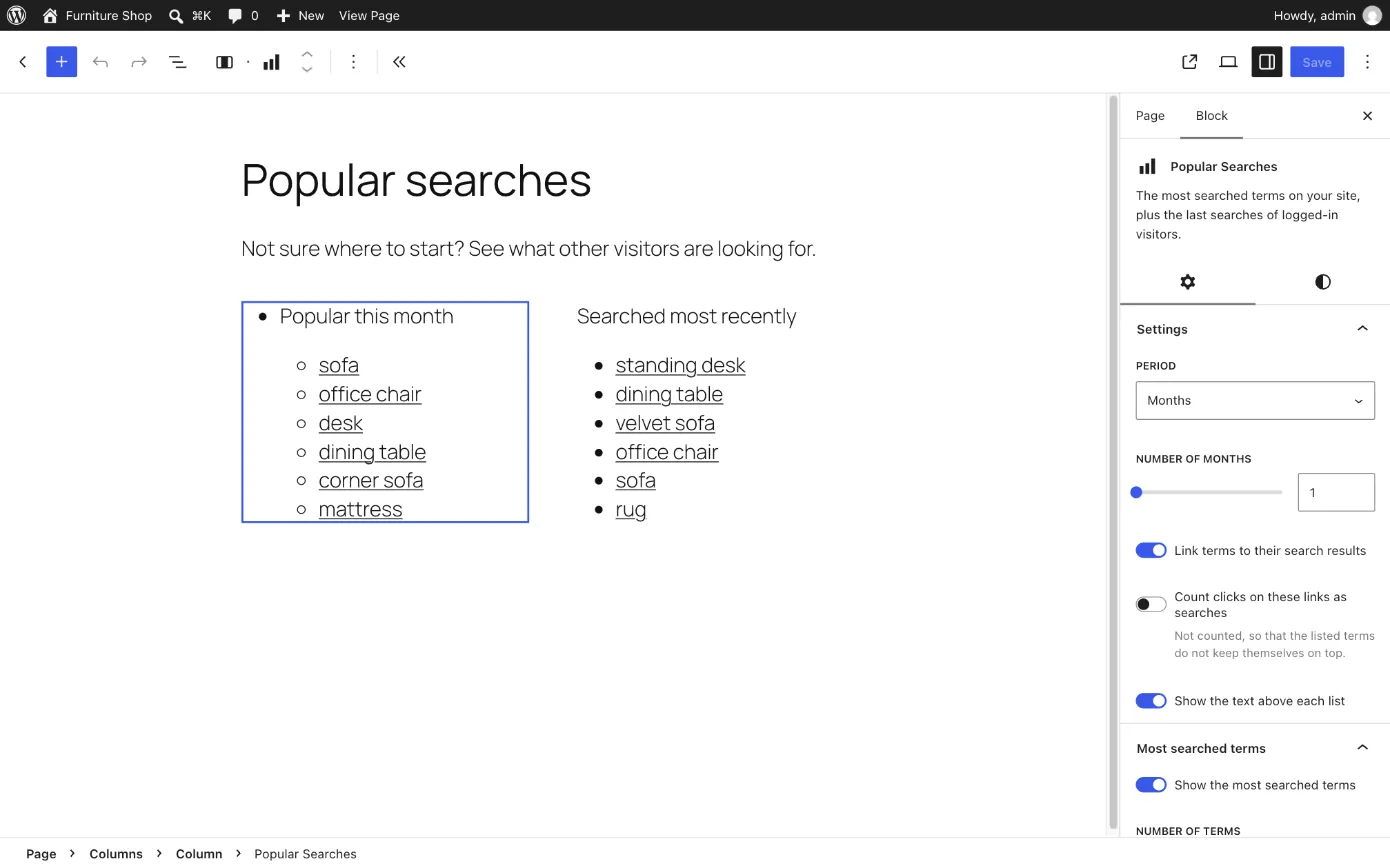
Export any view to CSV, and show popular or latest searches on your site with two blocks or their shortcodes.

What your search log tells you

  1. What to write next

    Searches with no results are topics people expect to find on your site. Sorted by number of searches, they become a to-do list with the most requested topics on top.

  2. Which pages people can't find

    If "contact" or "shipping" shows up week after week, the page exists but the link is probably too hard to spot.

  3. The words your visitors use

    Visitors type "couch" when your store says "sofa". Their search terms are the words to use in your titles and menus.

Private and light

  • No account, no API key and no outside service. Nothing is sent anywhere unless you turn on the optional country lookup.
  • IP addresses are never saved with the searches.
  • Only searches do any work: the plugin loads no scripts or styles on the front end.
  • Works on multisite, with separate data for each site, and is translation-ready.

Support forum · Code on GitHub

Screenshots

The searches that returned no results
Charts comparing two periods, and the times of the week when people search
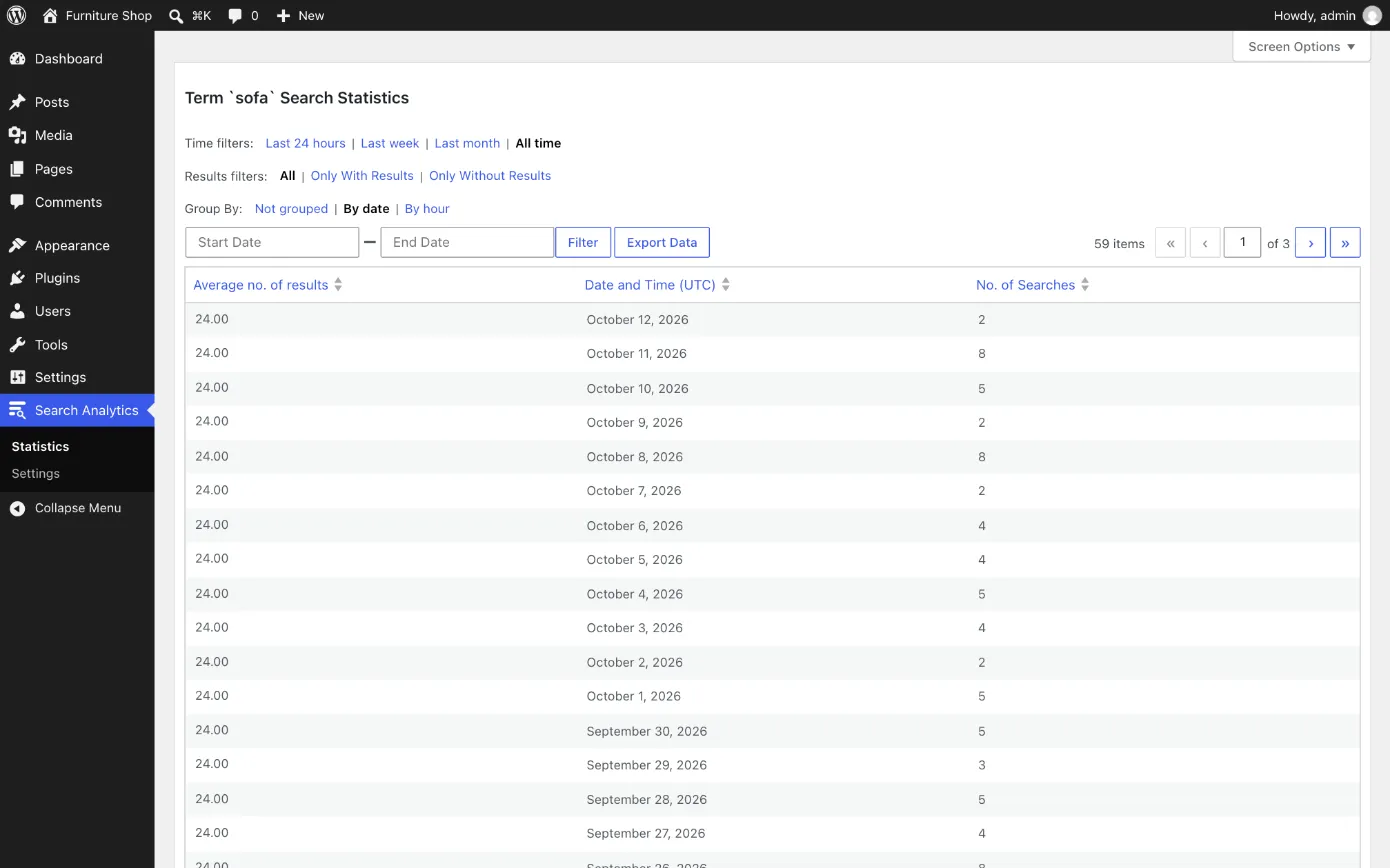
Statistics for one term, grouped by date
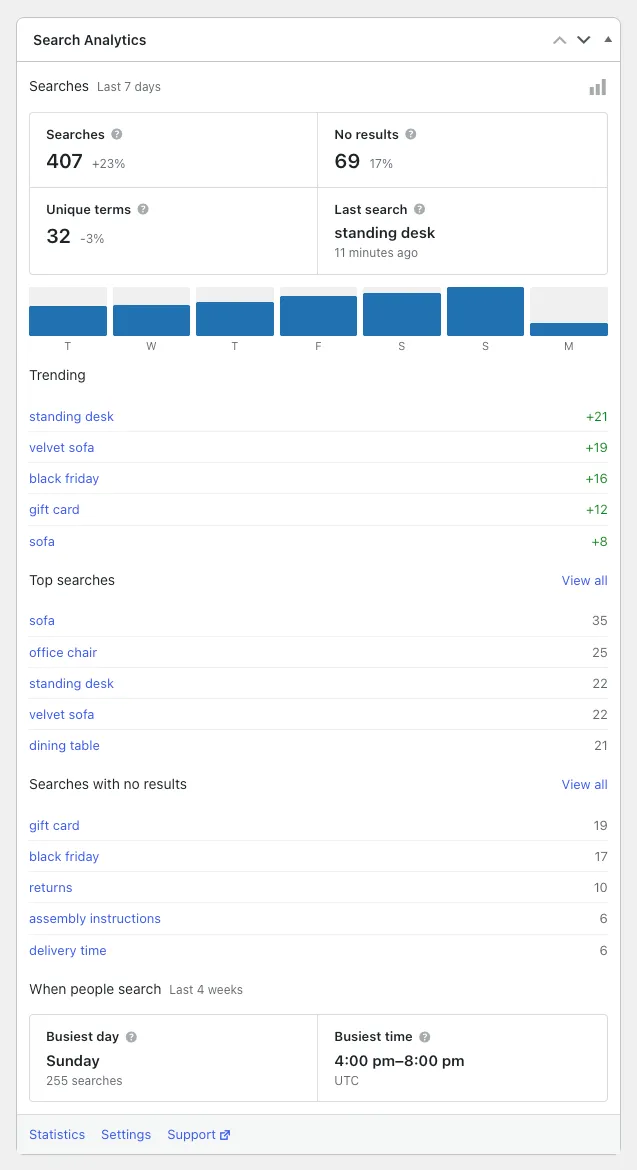
The dashboard widget
The Popular Searches and Latest Searches blocks in the editor
The settings page

Questions

Does it work with WooCommerce?

Yes. WooCommerce's product search opens the normal search results page, so each product search is recorded with the number of products it found.

Will it slow down my site?

Only searches do any work, and each one is saved with a few small database queries. Other pages only check whether they are a search.

Can I keep my own searches out?

Yes. Ignore your role, even after you log out, and list IP addresses to ignore, like your office's.

Does deactivating it delete my data?

No. Your search history stays. To remove it, tick the delete option in the settings, then delete the plugin.

Works well with

Search Steer

Found searches with no results? Search Steer gives a post keywords, so those searches find it.

Plugin details

Need a plugin built for your site?

We build and maintain WordPress plugins like this one for client sites. Tell us what yours should do.

Our other plugins

wordpress.org/plugins/feature-request-system

Feature Request System

A public feature request board. Visitors vote on ideas, you move them through statuses like Planned and Shipped, and followers get an email when a status changes.

New on WordPress.org
Plugin details
wordpress.org/plugins/search-steer

Search Steer

Hide posts from your site search, or steer it post by post: keywords bring a post into the results, stop keywords keep it out.

Soon on WordPress.org
Plugin details