
wordpress.org/plugins/search-analytics
Search Analytics for WP
See what visitors search for on your site and which searches find nothing. The data stays in your own database.
3,000+ active installs5/5 from 30 reviews
Plugin details 

WordPress plugin · Free
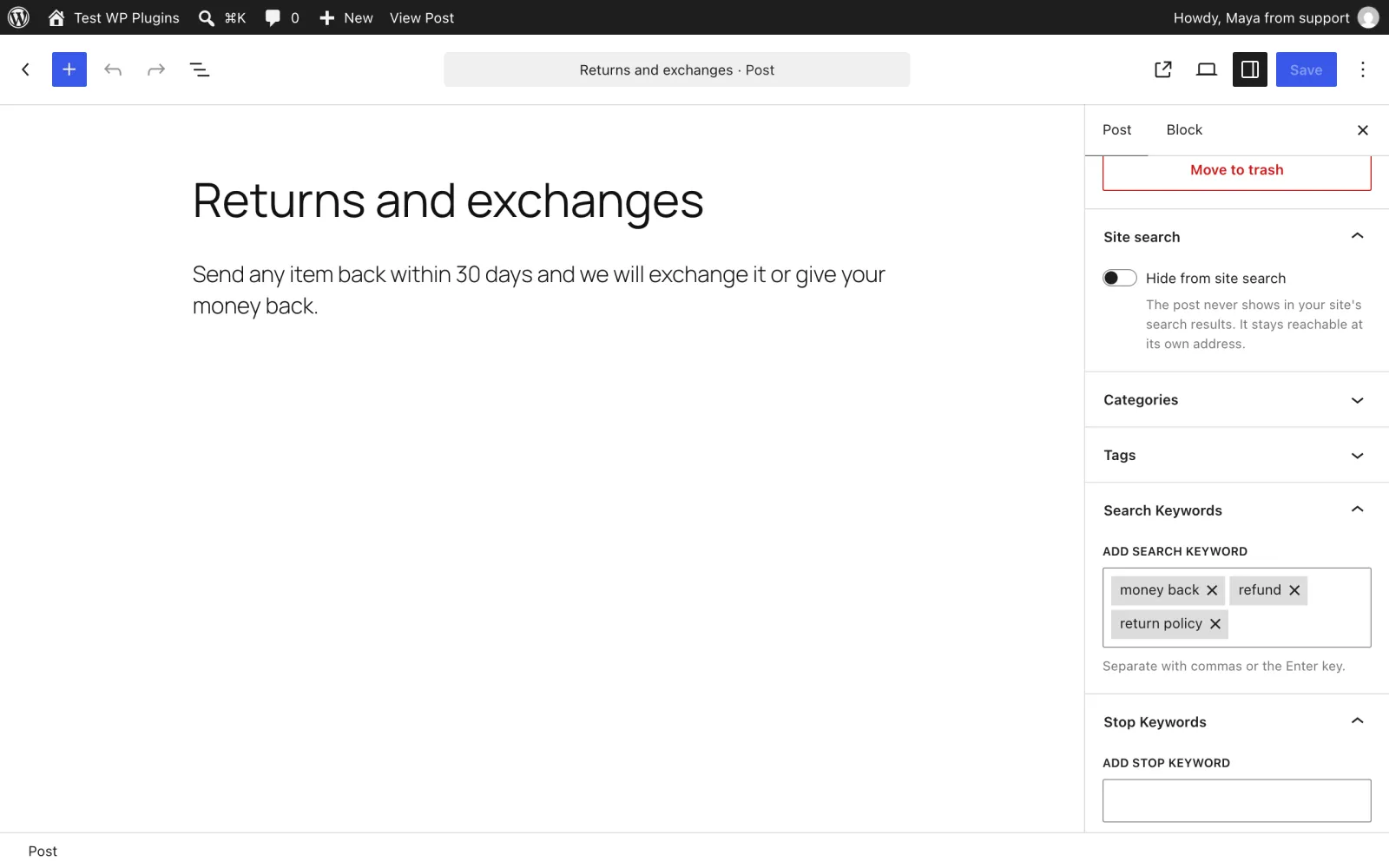
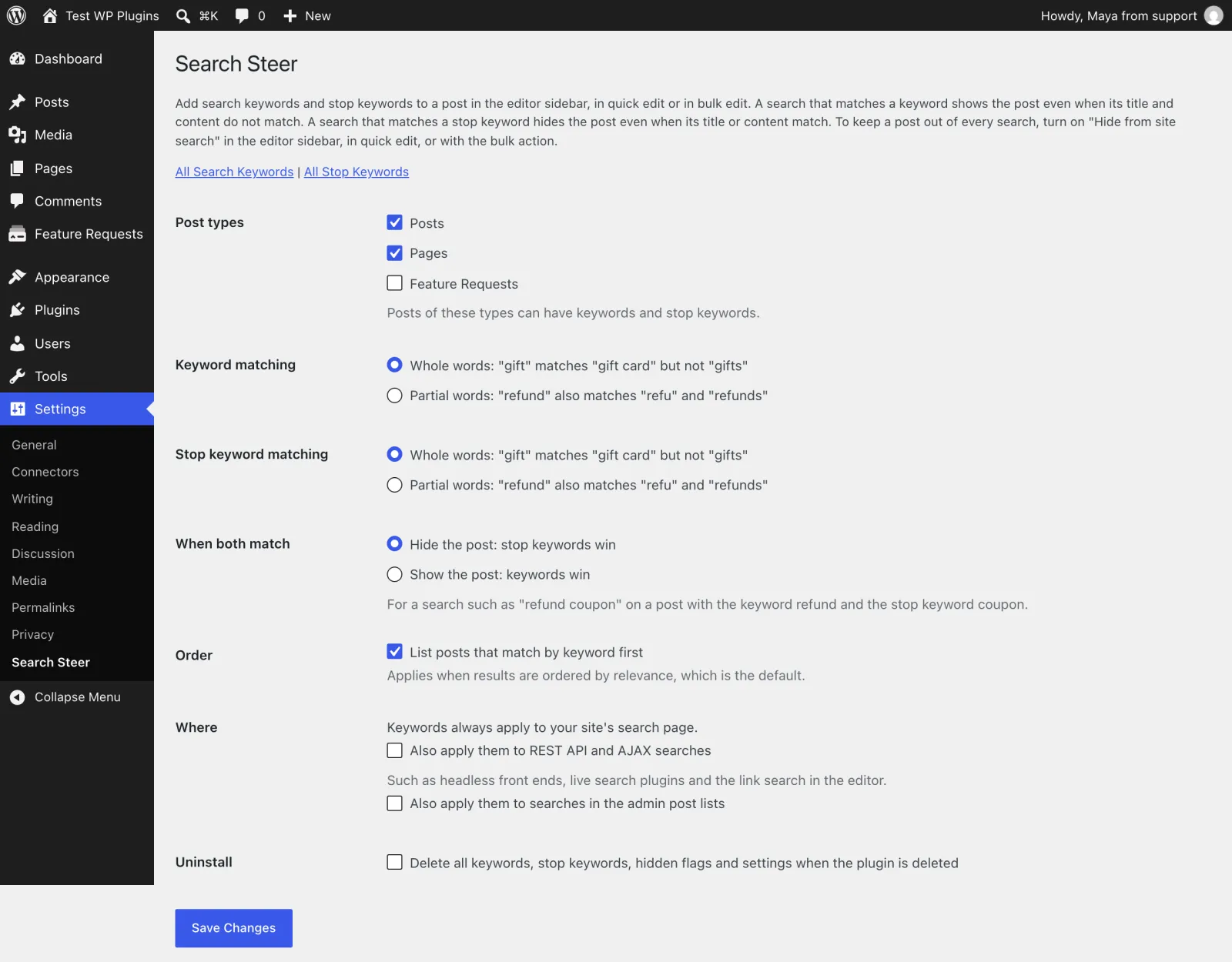
WordPress search only looks at a post's title, excerpt and content. Search Steer lets you decide, post by post, what your site search finds: hide a post, add keywords that bring it into the results, or stop keywords that keep it out.
Keep thank-you pages, landing pages and old announcements out of every search.
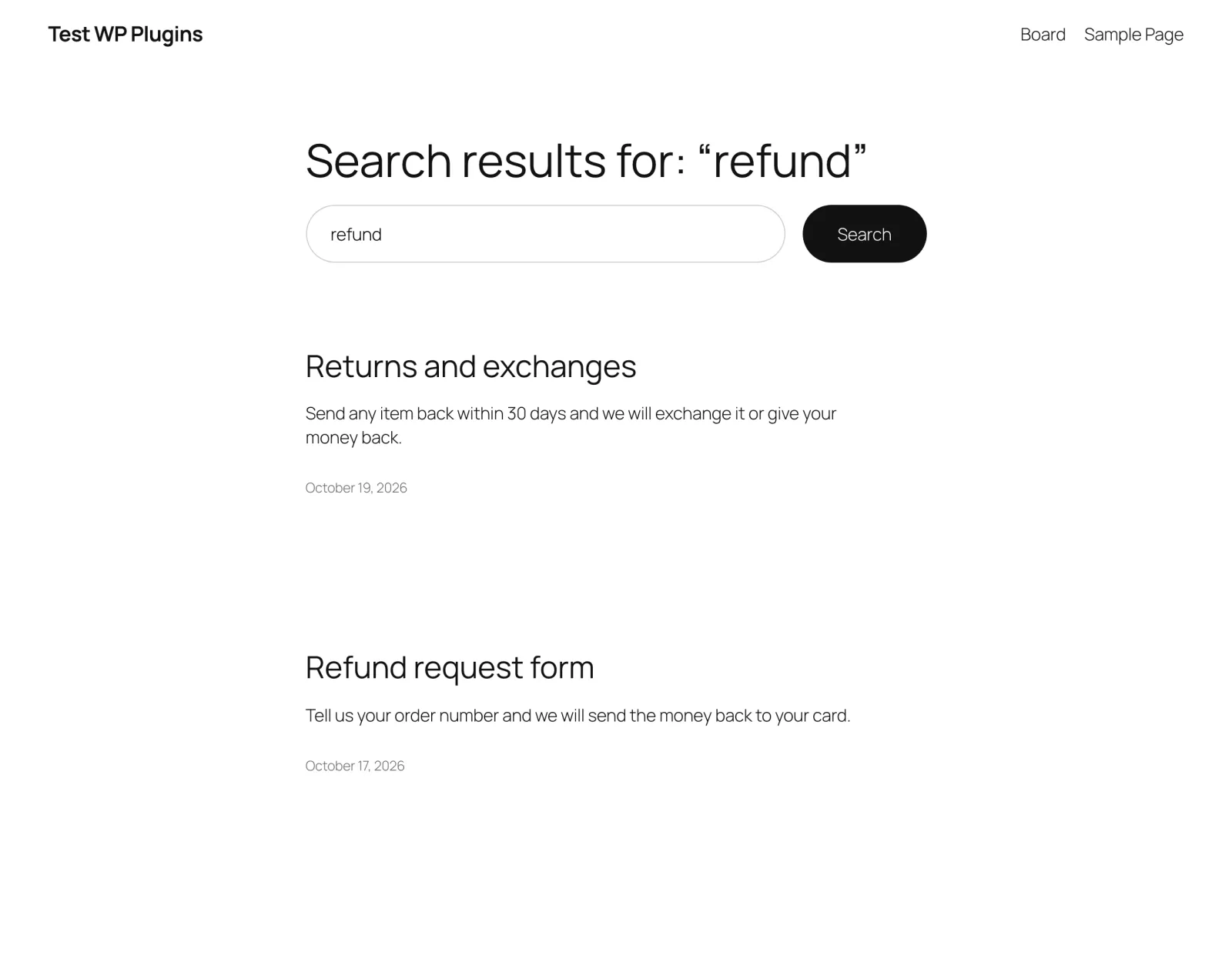
Give "Returns and exchanges" the keyword refund, and a search for "refund" finds it, even though the word isn't in the post.
Give an old "Refund policy (2019)" the stop keyword refund, and a search for "refund" never shows it.
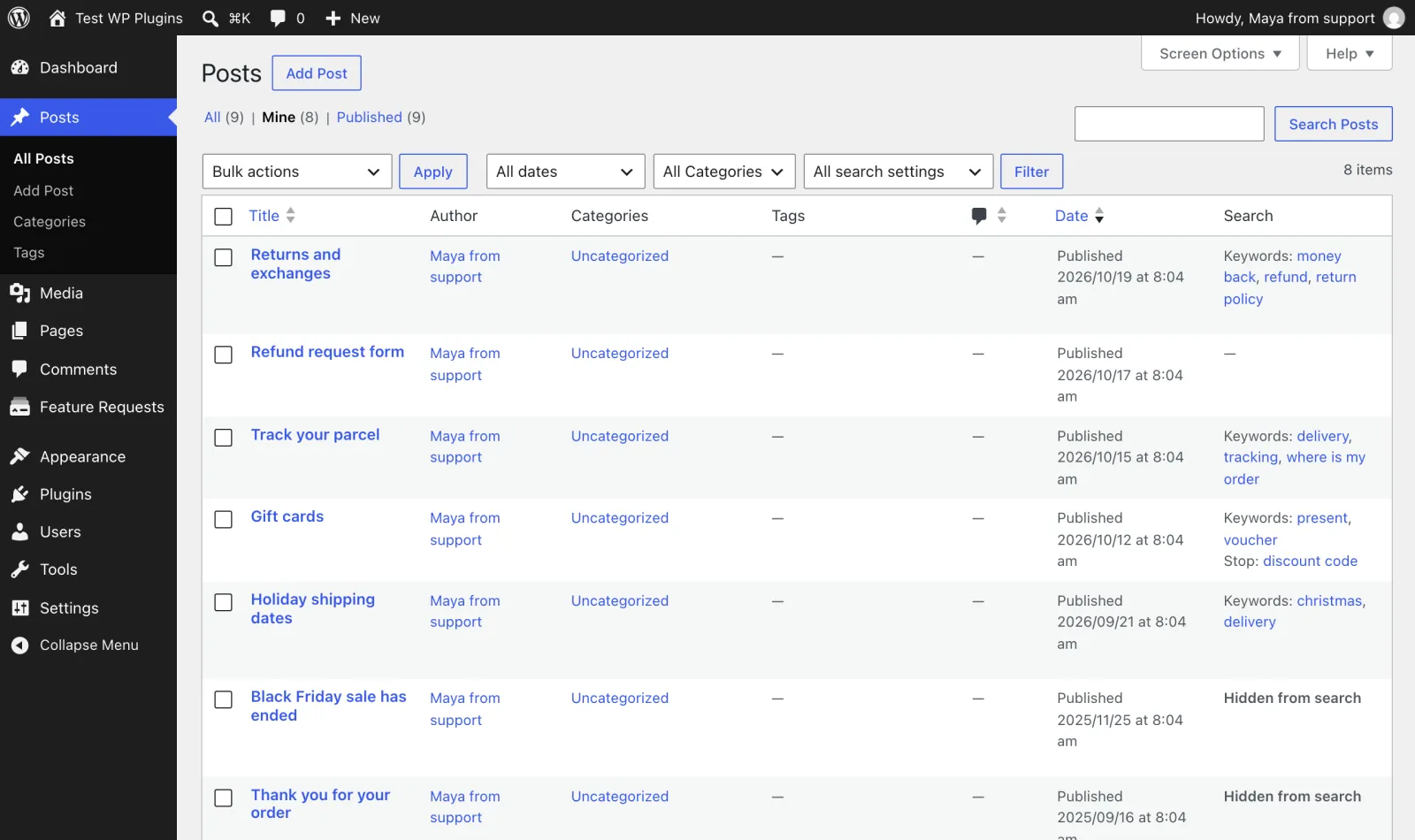
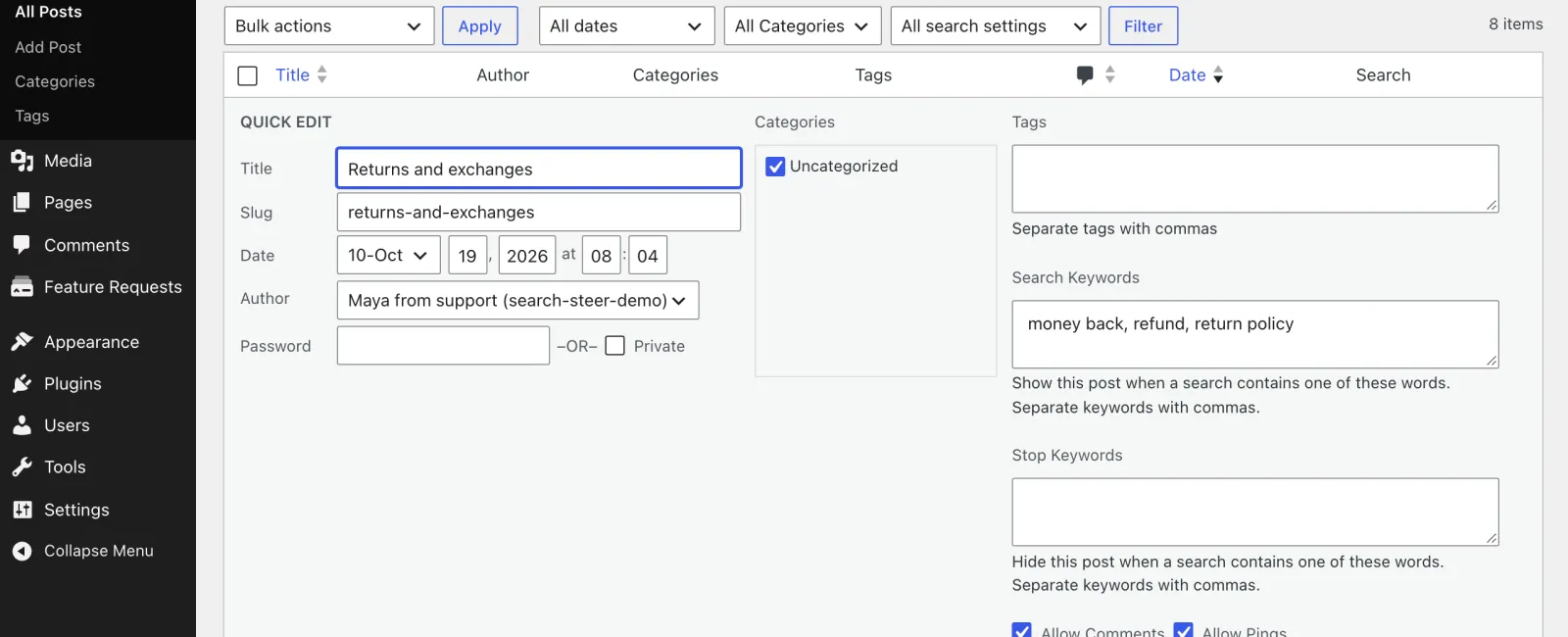
In the editor sidebar, in Quick Edit, or for many posts at once with Bulk Edit. A Search column shows which posts have settings.
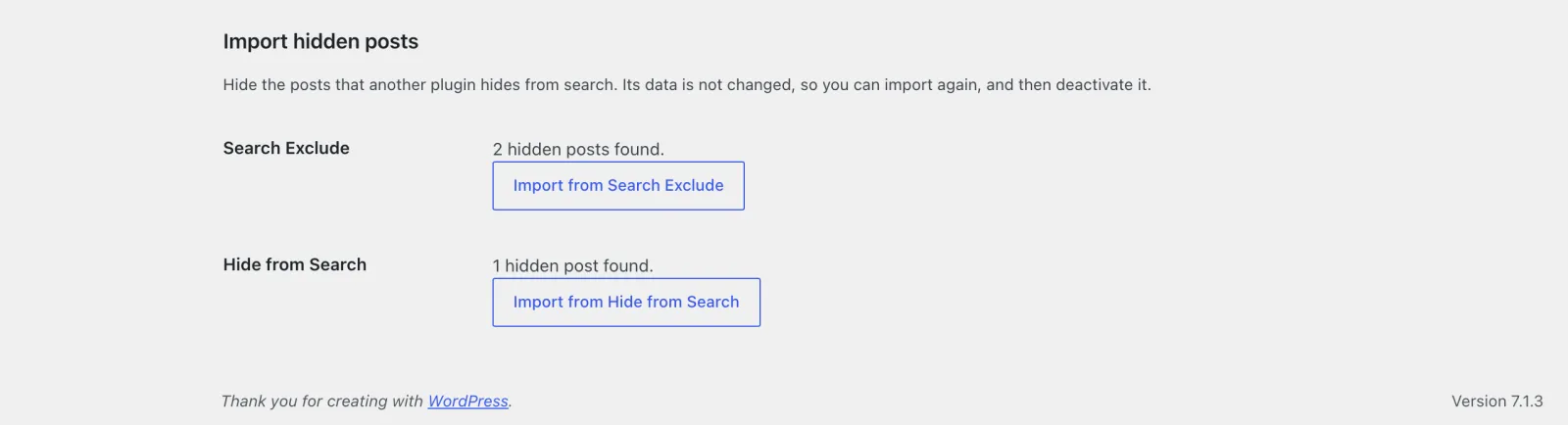
Import the posts that Search Exclude, Hide from Search or Hide Posts hide, with one click. Their data stays untouched.
Whole or partial words, which list wins, keyword matches first, and whether it also applies to REST API and AJAX searches.
Menus, archives, widgets, related posts and every other query on the page are left alone. Nothing is hidden in wp-admin.
No search index, no custom tables and no migrations. Settings live in post meta and private taxonomy terms that WordPress already indexes.
Visitors never see a post's keywords or that it is hidden, and the REST API only shows them to people who can edit posts.
No. It only stays out of your site's search results. It is still in menus, archives and widgets, and reachable at its own address.
No. Search Steer controls the search on your own site. To keep a page out of search engines, use your SEO plugin's noindex setting.
Live search boxes often search through the REST API or admin-ajax.php. Turn on "Also apply them to REST API and AJAX searches" in the settings.
No. A post is added when any of its keywords matches. With the keyword refund, a search for "refund status" finds it.
Works well with
Search Analytics for WPNot sure which searches to fix? Search Analytics for WP shows the searches that find nothing, so you know which keywords to add.
Plugin detailsWe build and maintain WordPress plugins like this one for client sites. Tell us what yours should do.
See what visitors search for on your site and which searches find nothing. The data stays in your own database.

A public feature request board. Visitors vote on ideas, you move them through statuses like Planned and Shipped, and followers get an email when a status changes.