
wordpress.org/plugins/search-analytics
Search Analytics for WP
See what visitors search for on your site and which searches find nothing. The data stays in your own database.
3,000+ active installs5/5 from 30 reviews
Plugin details 

WordPress plugin · Free
Feature Request System adds a feature request board to your WordPress site. People suggest features and vote for the ones they want. You give each request a status, such as Planned, In Progress or Shipped, and everyone who voted gets an email when it changes.
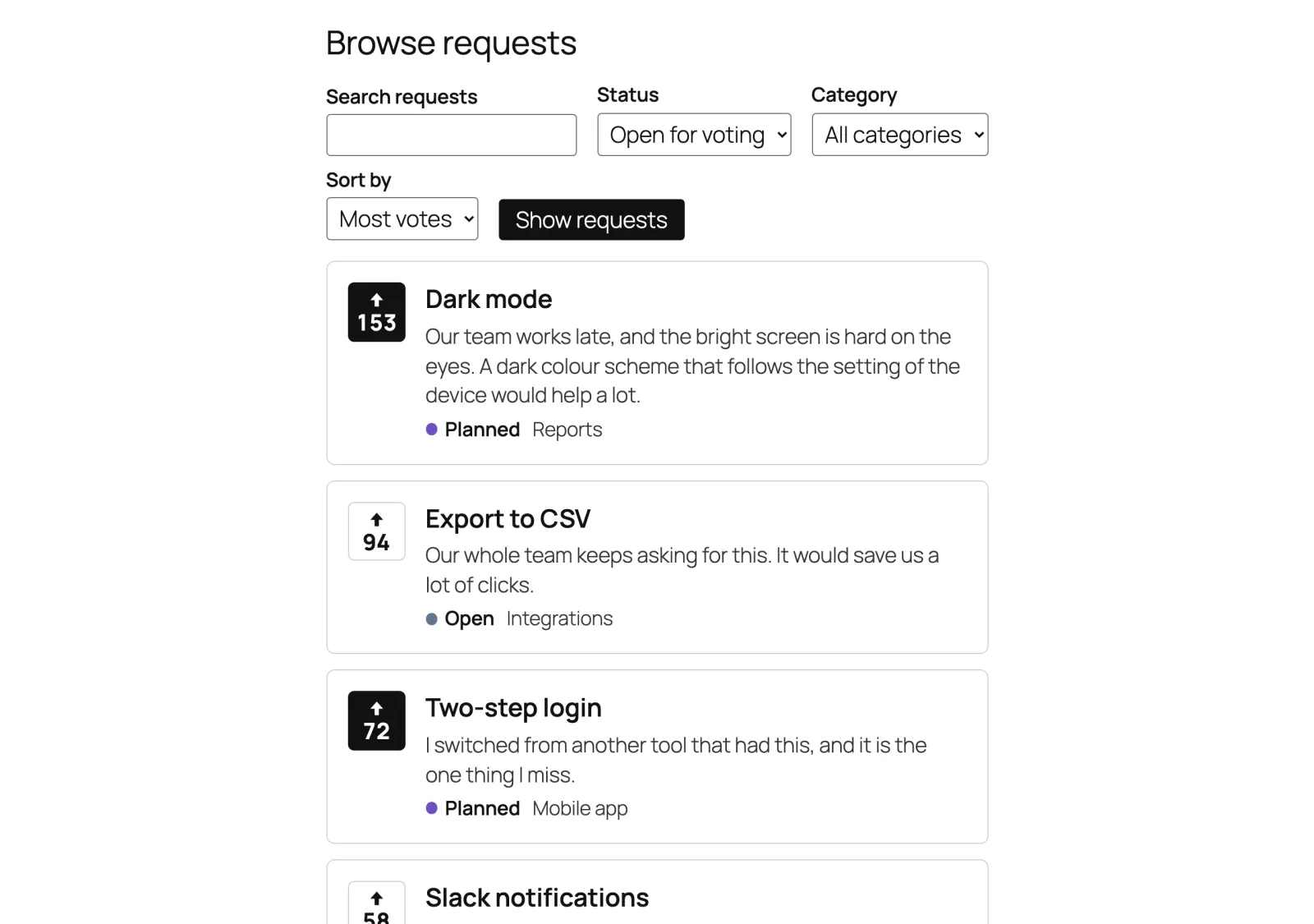
Visitors search, filter and sort the requests, and vote without reloading the page.
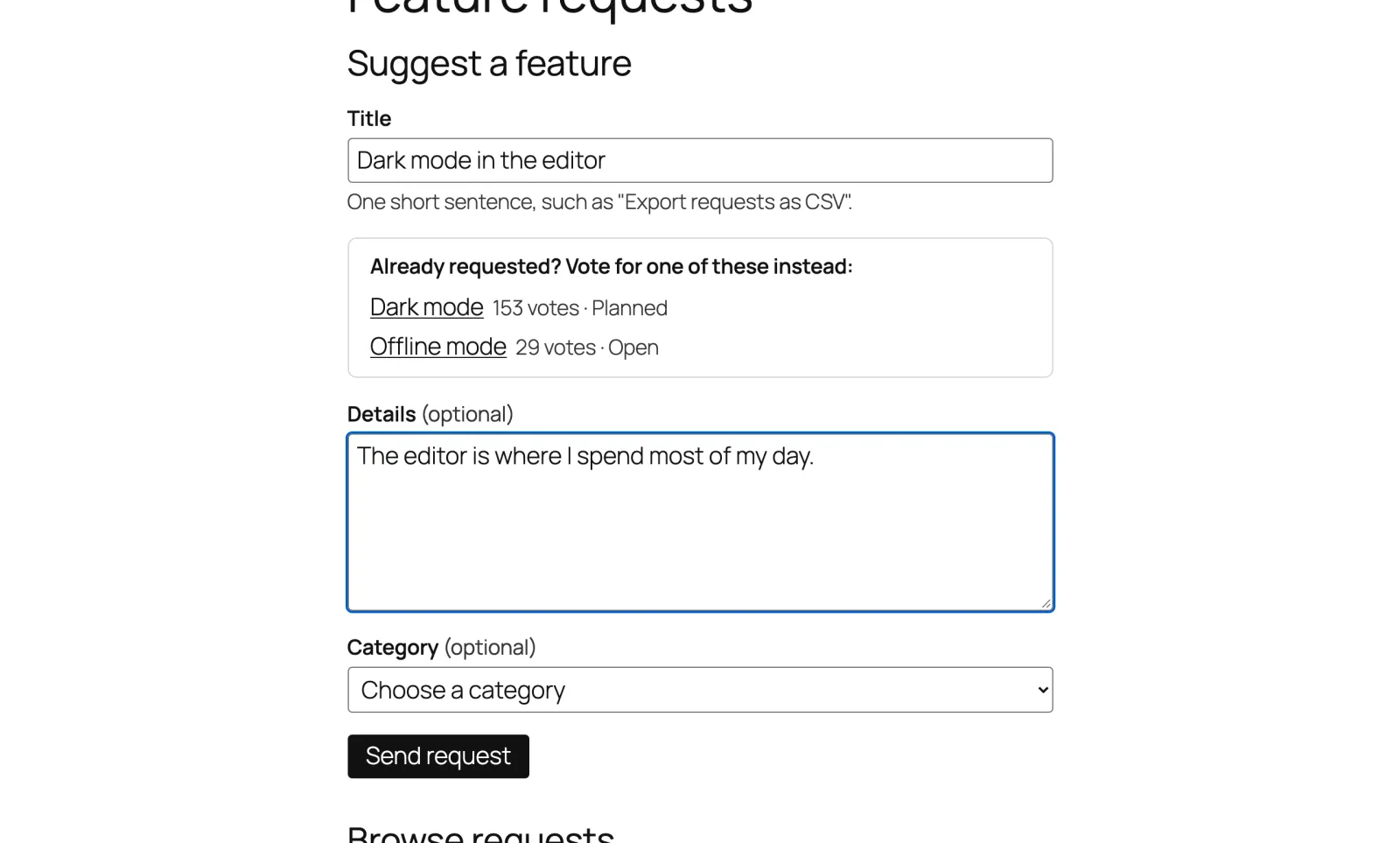
While someone types a title, the form lists similar requests, so they vote instead of posting the same idea again.
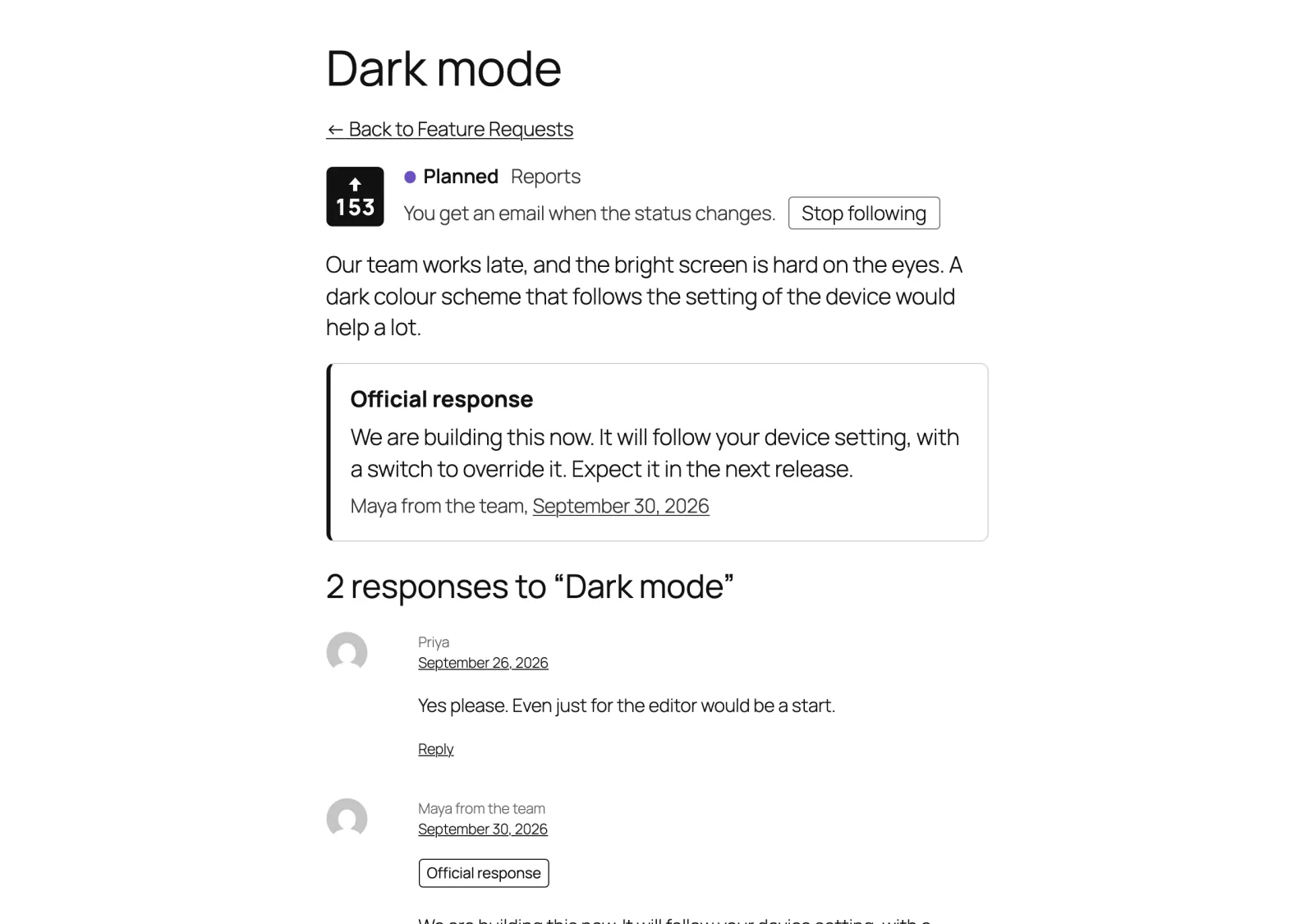
With comments and your team's official response pinned below the description.
Voters follow a request and hear about every status change, sent in the background with a link to stop.
A board, a form, a short list and a single-request card that take their look from your theme and work without JavaScript.
A hidden field, a minimum time to fill in the form and rate limits, plus Akismet if you use it.
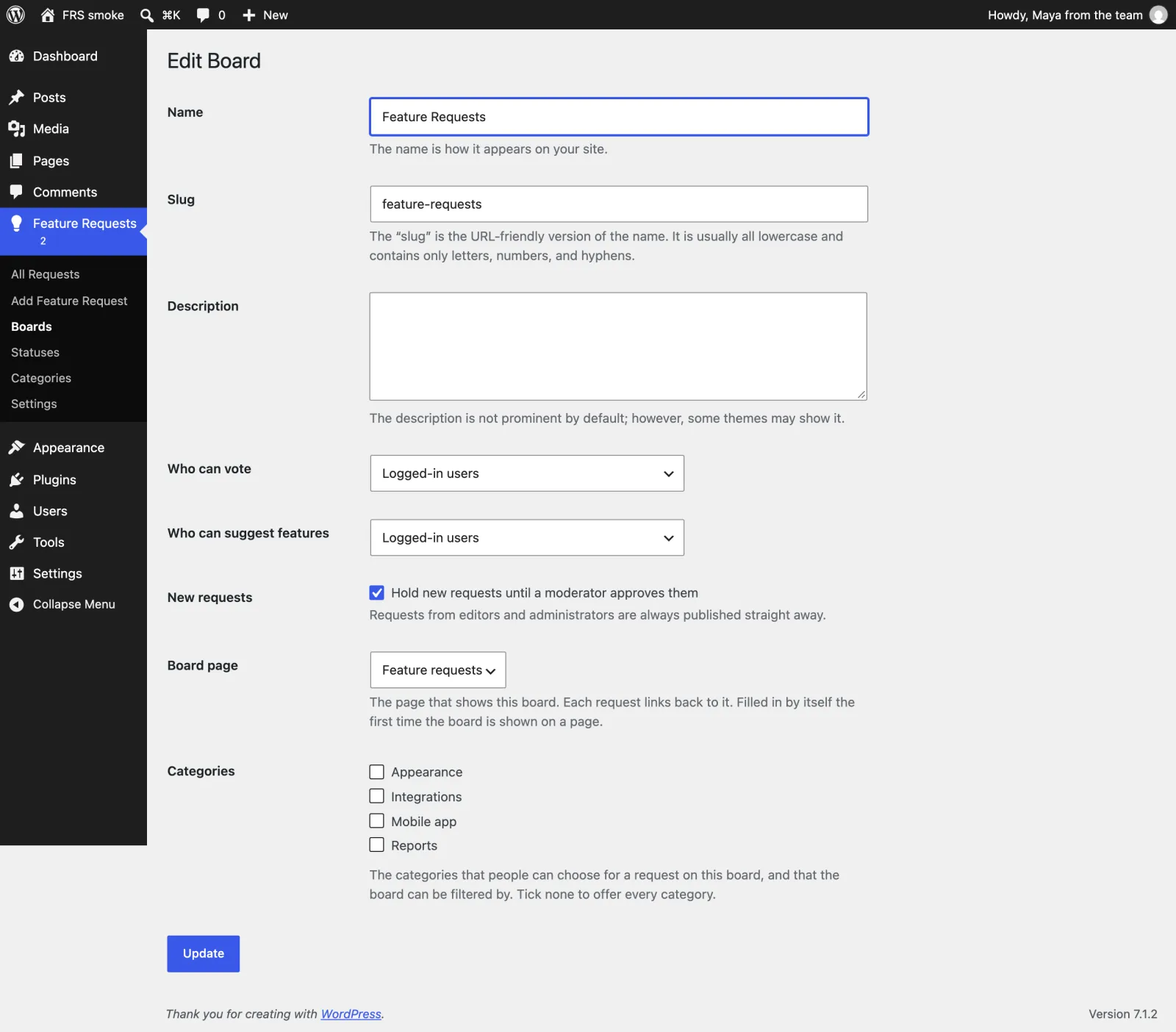
Add the board and the form to a page. Each board decides who can vote, who can suggest features and whether new requests wait for your approval.
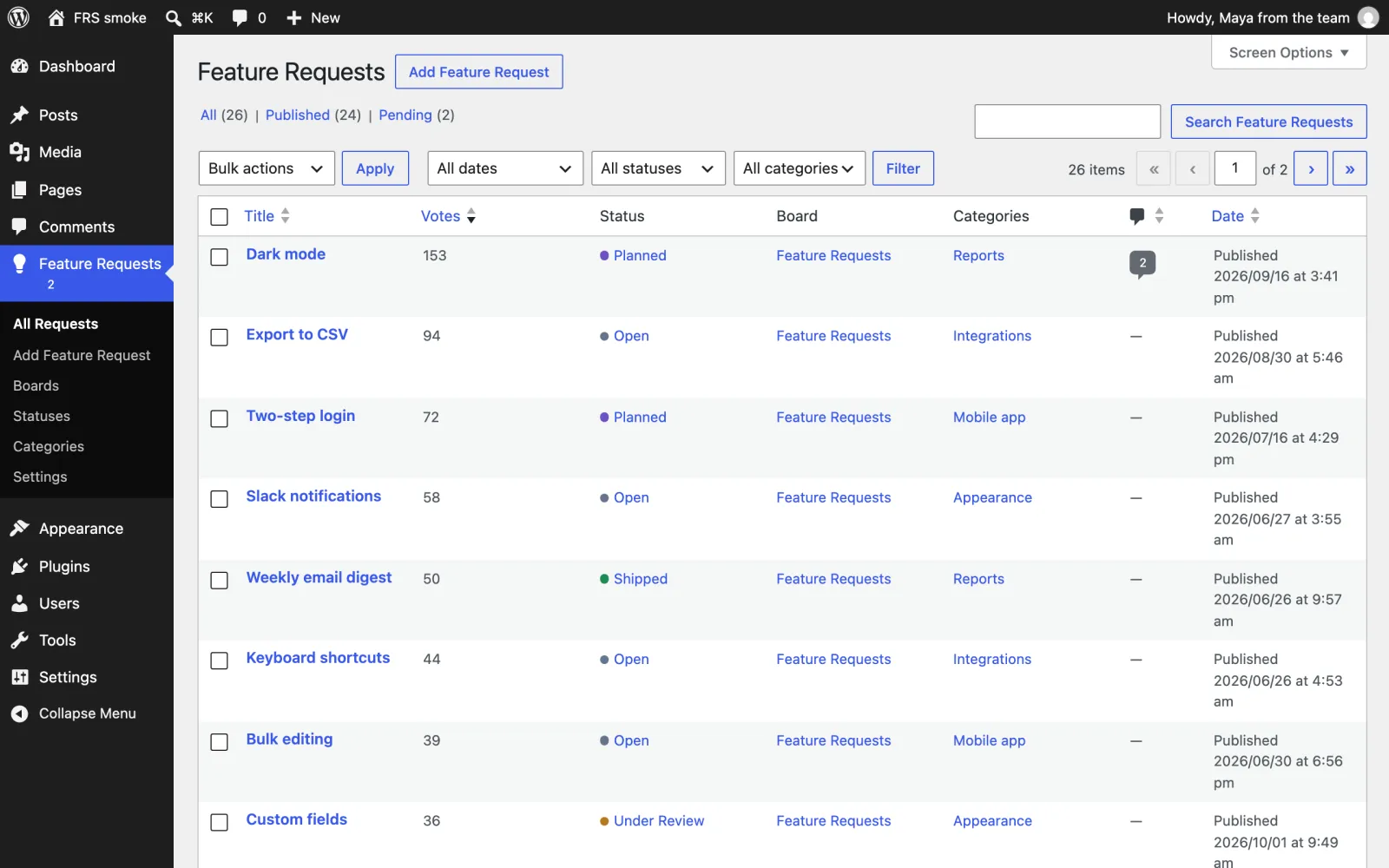
Sort by votes to see what people want most, then change a status from the edit screen, Quick Edit or Bulk Edit.
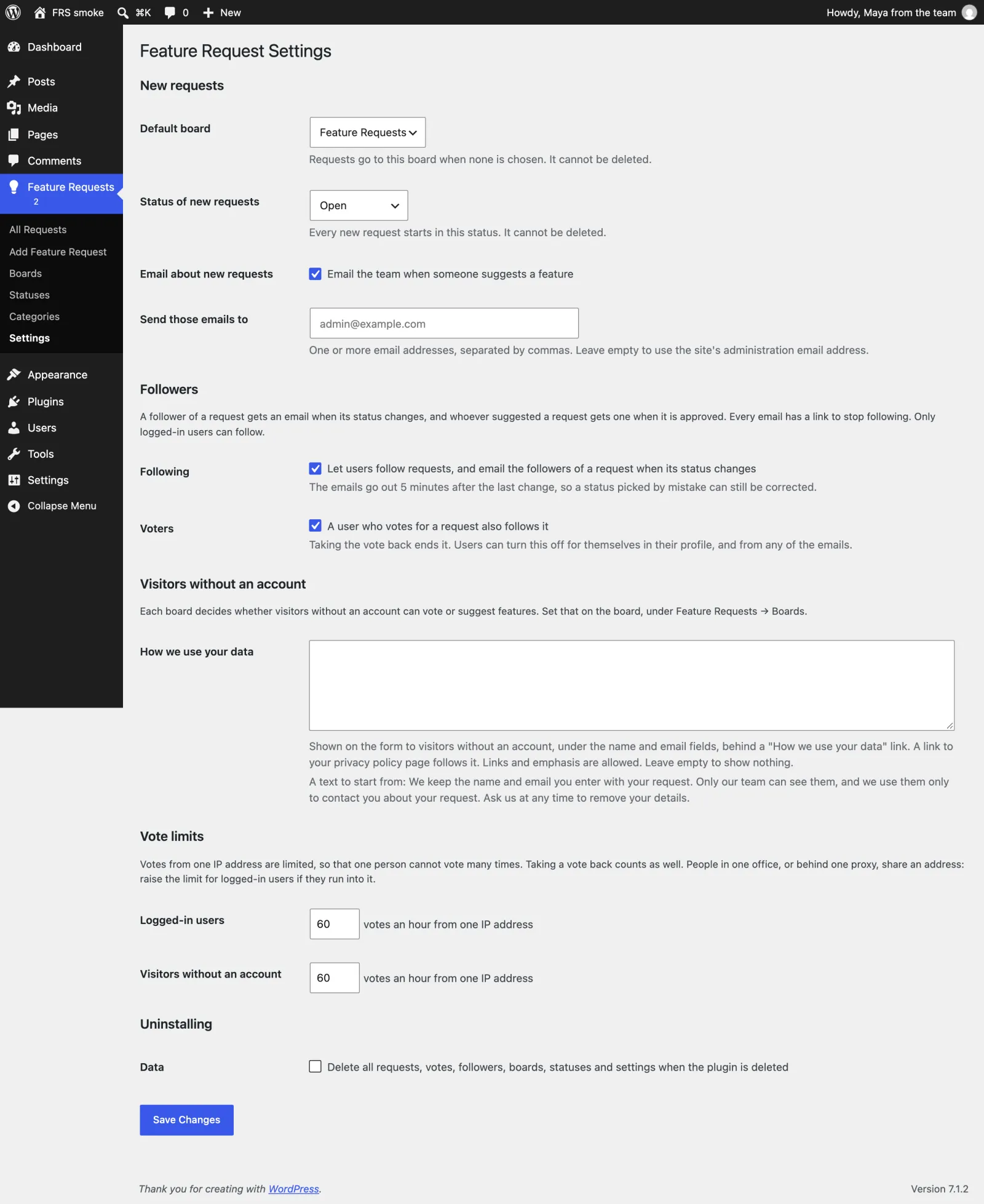
Followers get an email five minutes after a status change, so a status picked by mistake can be corrected first.
Yes. The board and the form take their colours and spacing from your theme, in block themes and classic themes.
Not by default. Each board can allow everyone, only logged-in users, or nobody. Visitors without an account leave a name and email, which are never shown publicly.
Yes. Each site of the network has its own boards, requests, votes and settings.
Deleting the plugin keeps your requests and votes. To remove everything, tick the delete option under Feature Requests → Settings first.
We build and maintain WordPress plugins like this one for client sites. Tell us what yours should do.
See what visitors search for on your site and which searches find nothing. The data stays in your own database.

Hide posts from your site search, or steer it post by post: keywords bring a post into the results, stop keywords keep it out.